hello! since last update of Ankihub, there are blank cards. The card is visible on clicking edit.

I’ll help you with this issue of blank cards showing up after the AnkiHub update. Let me search for similar reports to better understand what might be happening.
Search
Found 2 results for 'tags:official blank cards not displaying'
Search
Found 4 results for 'tags:official blank cards after update'
Read topic
Hi Niel30n,
I see you’re experiencing blank cards after the latest AnkiHub update, though the content appears when editing. This is a known issue that can happen for a couple of reasons:
Try these solutions:
Option 1: Check for empty cards
- Go to Tools in the Anki menu
- Click on Empty Cards
- Click Delete (leave the box ticked)
Option 2: If the above doesn’t work, it might be related to protected fields
- Go to the deck on AnkiHub website
- Click the 3 dots in the top right corner
- Select Manage protected data
- Uncheck the text or extra field (whichever fields contain your card content)
- Save your changes
- Return to Anki desktop
- Reset your local changes by:
- Going to Browse
- Clicking on AnkiHub at the top
- Selecting “Reset local changes”
From your screenshot, it looks like Option 2 might be more likely since you mentioned you can see the content when editing, which suggests the content exists but isn’t displaying properly.
Let me know if either of these solutions resolves your issue!
I have already done the option 1 and 2
Hello,
Please follow these steps:
- Download this add-on: https://ankiweb.net/shared/info/952691989
- After the add-on is installed, please restart Anki.
- On your Anki main screen, navigate to
AnKing > AnKing Note Types. - In the window that appears, first click the option to reset the notetype, and then click to check for updates.
Be sure to save your changes.

Also, please make sure you are correctly synced with AnkiHub and that the note type is the correct one. Look at mine; the official note type from AnkiHub has this name:
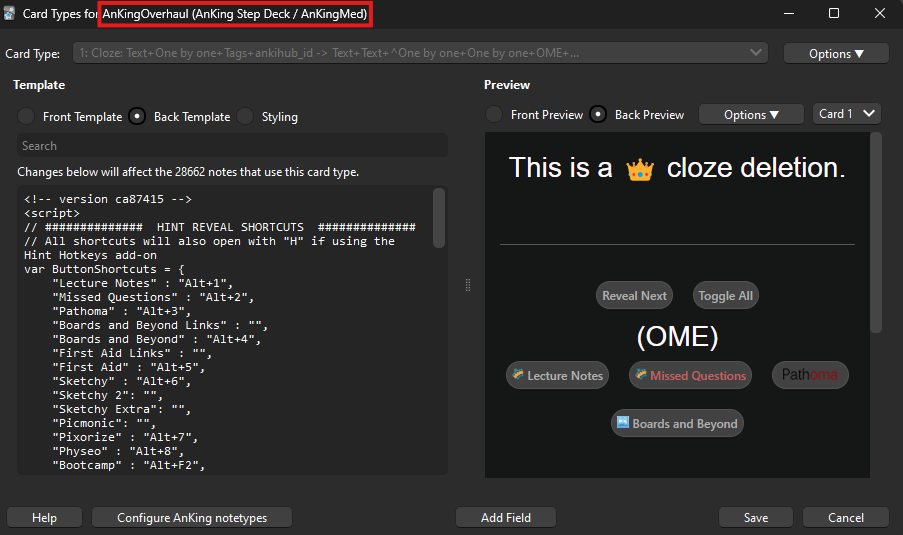
Try clicking on “Back Template” and see if the note type displays like mine.
If the issue does not resolve, please send a screenshot of a card not being displayed correctly and any other information you find helpful.
It is not working. Also, I have synced again with Ankihub.
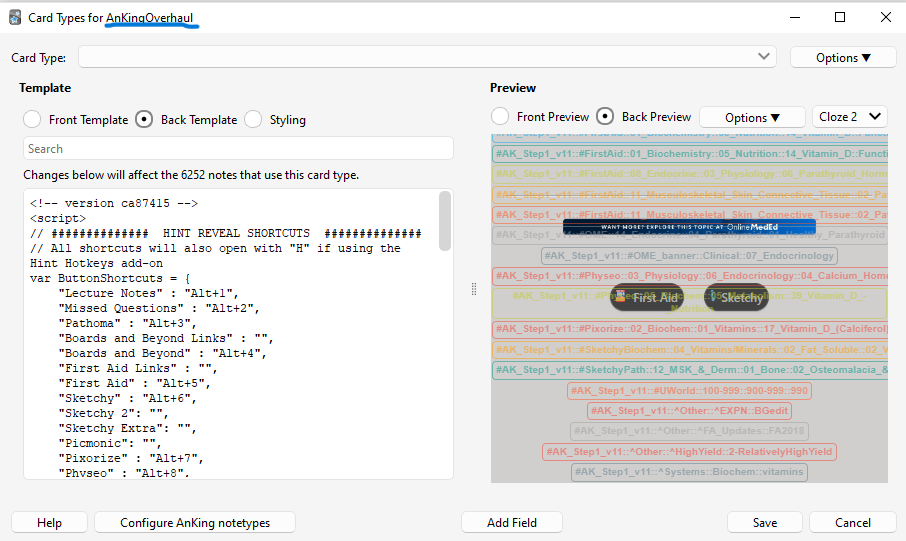
Now the front and back of card is like this:


It seems to me that this is not the official note type, as the name of it appears incomplete, meaning it’s not an AnkiHub note type. Also, it says, “Changes below will affect the 6252 notes that use this card type.” The AnKing Step deck has around 28,000 notes.
Could you please go to the browser, find a card that has this error, and try clicking this button? If you can’t, it means this is not an official note type or card, meaning you got it from somewhere else and it can’t be updated by AnkiHub.
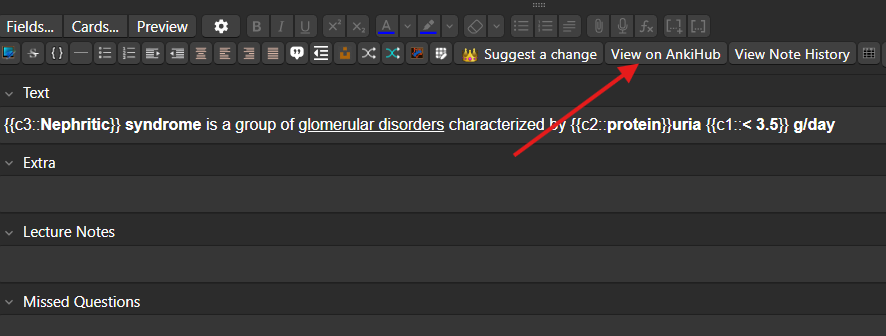
And as I see in the screenshot, your note type has a “cloze” field that does not exist in the official note type. So my guess is these are non-official cards that use an old version of the AnKing note type; thus, they don’t work properly and can’t be updated by us to fix this issue.
Go to the left in your Browser screen, expand “Note Types” and find the official note type “AnKingOverhaul (AnKing Step Deck / AnKingMed)”. Click on it, and it will show all the cards from the AnKing Step deck. If you can’t find it, it means you don’t have the deck installed properly. In this case, let me know so I can help you get everything set up! 