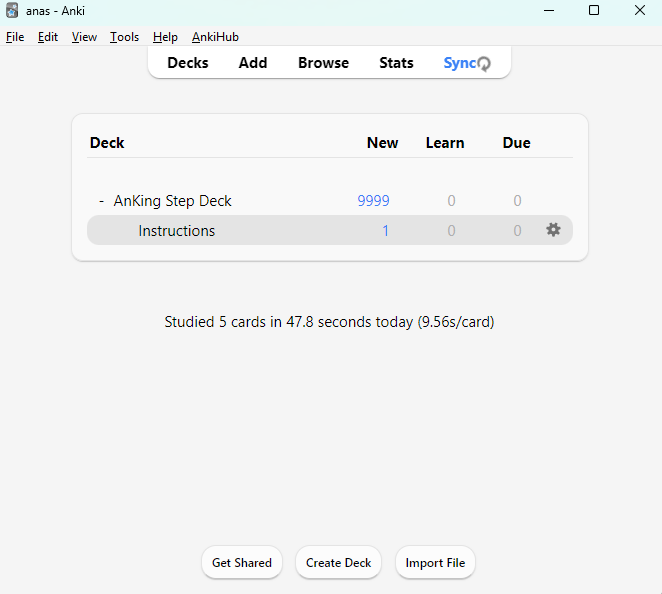
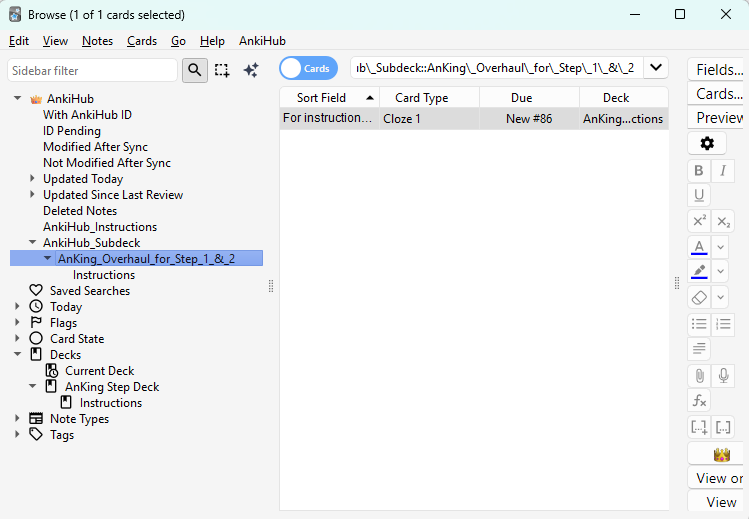
i cannot see subdecks for anking. I subscribed to the AnkiHub subscription tried syncing several times but i cannot get past this. Any ideas how i can fix this, Ive also attached what shows up in the browse tab. I spent hours today trouble shooting with chatgpt but no luck
I’ll help you troubleshoot why you’re not seeing the AnKing subdecks. Let me search for some relevant information to assist with this issue.
Search
Found 5 results for 'tags:official ankihub subdecks not showing anking'
Read topic
Read topic
Reading: Why do I have two AnKing decks?
Search
Found 5 results for 'tags:official ankihub browse tags'
Hello acek1ng! I understand your frustration with not being able to see the AnKing subdecks. This is actually normal behavior with AnKing decks on AnkiHub, and I can explain why.
Why You Don’t See Subdecks
The AnKing deck on AnkiHub intentionally doesn’t use subdecks. As explained in an official FAQ:
When AnkiHub was initially released, it did not have subdeck support. We have not added it to the AnKing deck because of how complex it is.
Instead of using subdecks, the AnKing deck uses tags for organization. This is actually more flexible since one card can have multiple tags but can only belong to a single deck.
How to Access the Content
The content you’re looking for is organized using the tag system instead. Here’s how to find it:
- Go to the Browse tab in Anki (which you’ve already done based on your screenshot)
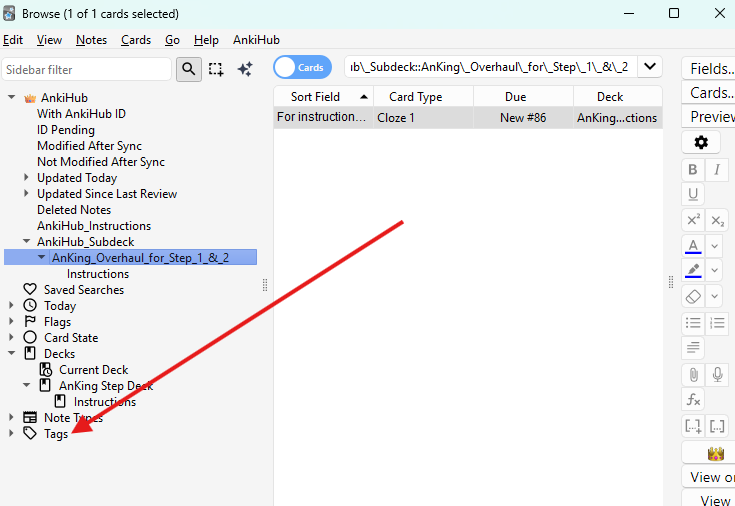
- On the left-hand side, look at the Tags section
- You should find tags like
#AK_Step1_V12,#AK_Step2_V12, and#AK_Step3_V12 - Under these main tags, you’ll find all the subdeck content organized as tag hierarchies
The #AK_Original_Decks tag contains all the original subdeck organization if you want to see how it was previously structured.
Study Strategy
To study specific content:
- Use the Browse feature to find cards with specific tags
- Create filtered decks based on those tags
- Or study directly from the main AnKing deck (the tags will help you track your progress)
If you’re having trouble with your AnkiHub subscription syncing properly, you might want to check if you have set your destination deck for new cards, as sometimes users end up with two AnKing decks.
Let me know if you need any further clarification or have additional questions!
Hello,
The AnKing deck doesn’t use subdecks. You can access the subjects you want to study using the tags in the bottom-left corner of the Browser.
Here’s a tutorial that shows how to study using tags: How to Get Started Studying
Let me know if you need help with anything else. 
1 Like
Thank you so much!
This topic was automatically closed 7 days after the last reply. New replies are no longer allowed.